Plain files
Real `.md` files from your disk or a public HTTPS URL, ready for any repo, folder, or agent workflow.
A calm native Markdown editor with writing and preview in one clean surface.
Built natively for macOS and Windows, Aviv avoids a browser shell and works directly with real Markdown files. On macOS, Aviv 1.1.5 reveals the exact URL behind a Live Document, restores natural title-bar dragging, and keeps search compact and collision-free.
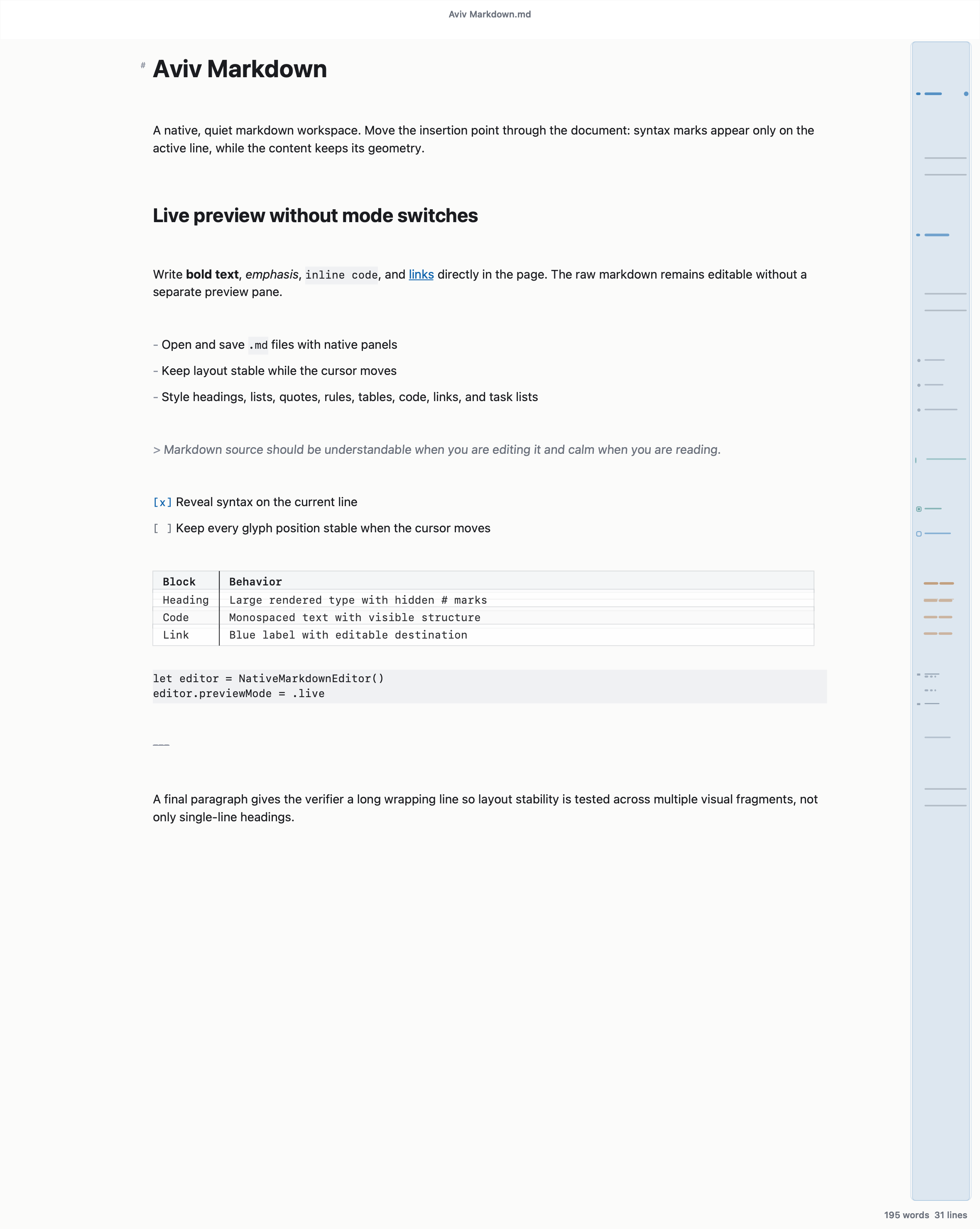
Aviv keeps one editable surface: readable like a document, honest like plain text, and quiet enough for daily work.
Real `.md` files from your disk or a public HTTPS URL, ready for any repo, folder, or agent workflow.
Rendered Markdown stays inline while the source remains editable.
Minimal controls, no dashboard, no mode switcher, no clutter.
Native desktop builds instead of a browser shell around a web app.
Focused native code keeps the architecture direct for everyday notes and specs without bundling a browser shell.
MIT licensed, public on GitHub, free without a paid unlock.
The document stays readable while you edit, so writing does not become a preview-management task.
Markdown remains plain, portable, and agent-readable underneath the calm visual layer.
Attachments render inline while Aviv preserves the original Markdown source path.
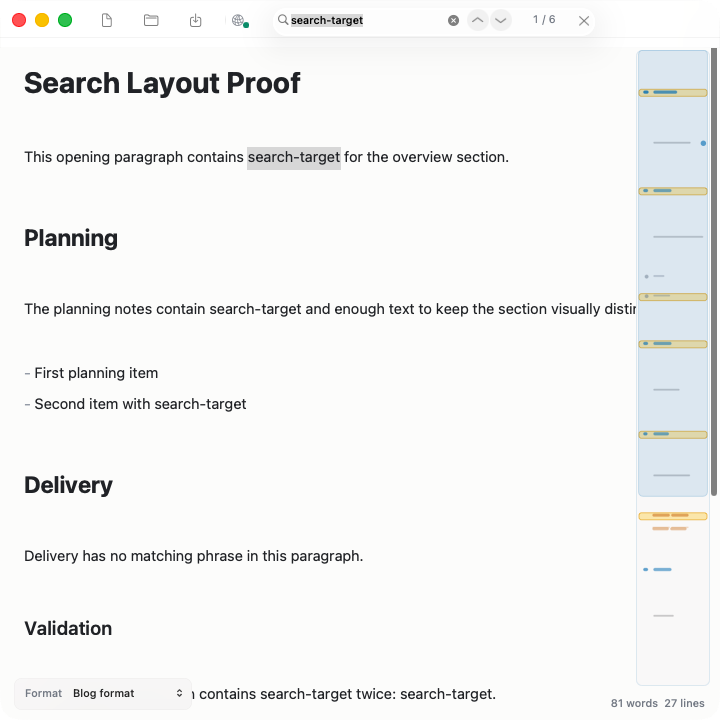
The macOS search field stays in a fixed, compact toolbar group. When it opens, nonessential controls step aside, so search never overlaps another control or shifts the document.
Tiny previous and next buttons sit beside the field. Press Return or Command-G for the next result and Shift-Return or Shift-Command-G for the previous one.
Sections containing results are marked yellow in the document outline, making clusters of matches easy to spot in long documents.
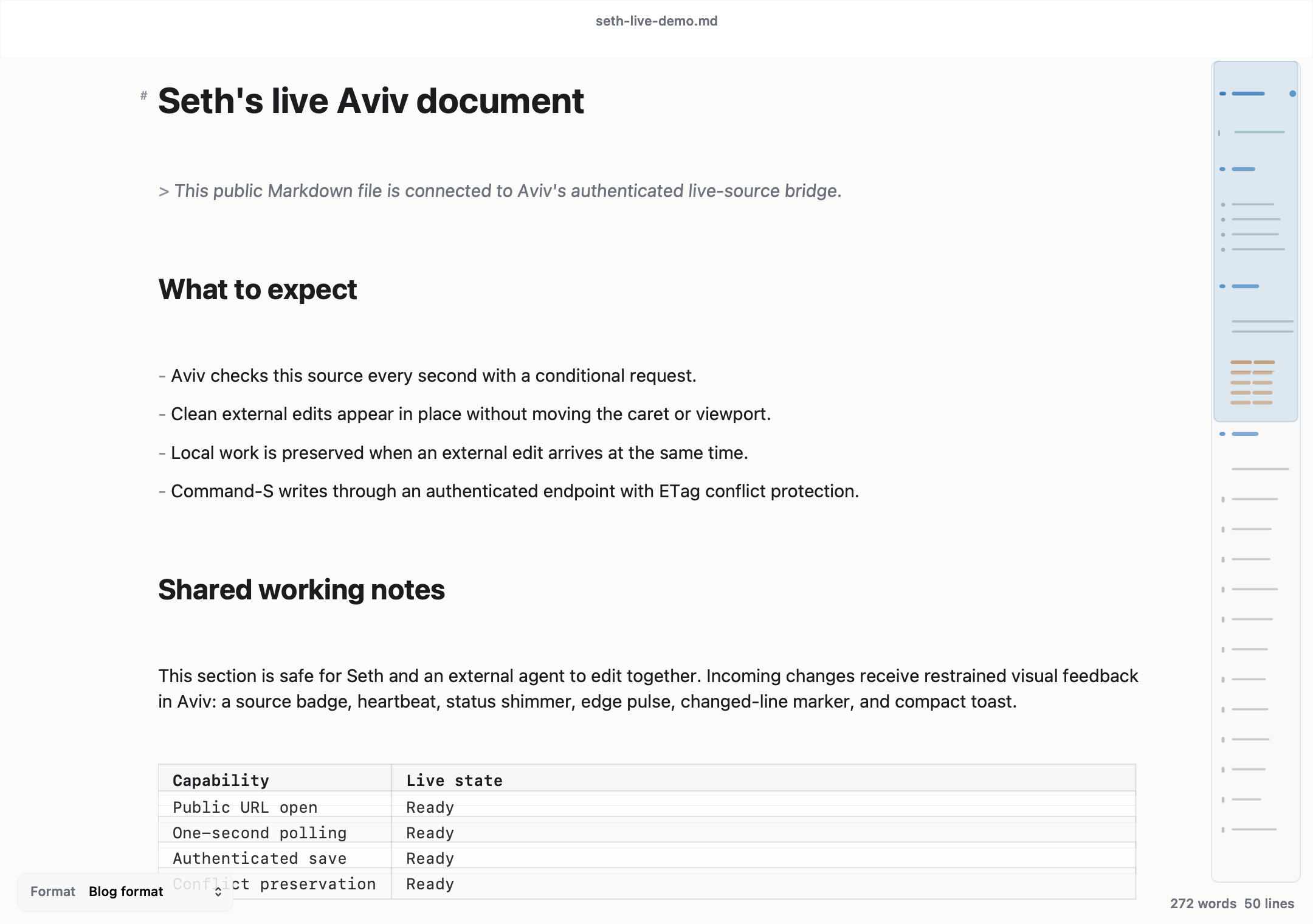
Click a heading, link, emphasis, code span, list, task, quote, or table to reveal its real source markers. Click away and Aviv restores the calm rendered view without moving the caret or page.
Click the compact Live Document indicator to reveal the complete selectable backing URL and copy it in one step. The transient popover never shifts the toolbar or document.
Use File → Open from URL… on macOS. Aviv keeps the source identity and polls with ETags on a one-second default interval.
Clean incoming edits refresh in place while Aviv preserves selection, caret, scroll position, visible text anchor, and document width.
If both sides change, Aviv keeps your buffer intact and shows a clear conflict state. Nothing is overwritten until you choose.
Command-S uses an authenticated conditional bridge when the source advertises one. Ordinary public URLs remain honestly read-only.
A compact native live indicator, shimmer, edge pulse, changed-line marker, and restrained toast signal incoming work without entering document layout or crowding the macOS window controls.
Prompts, specs, decisions, and agent instructions need a format that reads well for people and parses cleanly for machines. Markdown is that common ground.
Aviv uses Swift and AppKit on macOS and WinUI 3 on Windows so the editor can stay native without carrying a browser shell. Resource use varies by platform and document.
macOS document behavior with tabs and multiple windows.
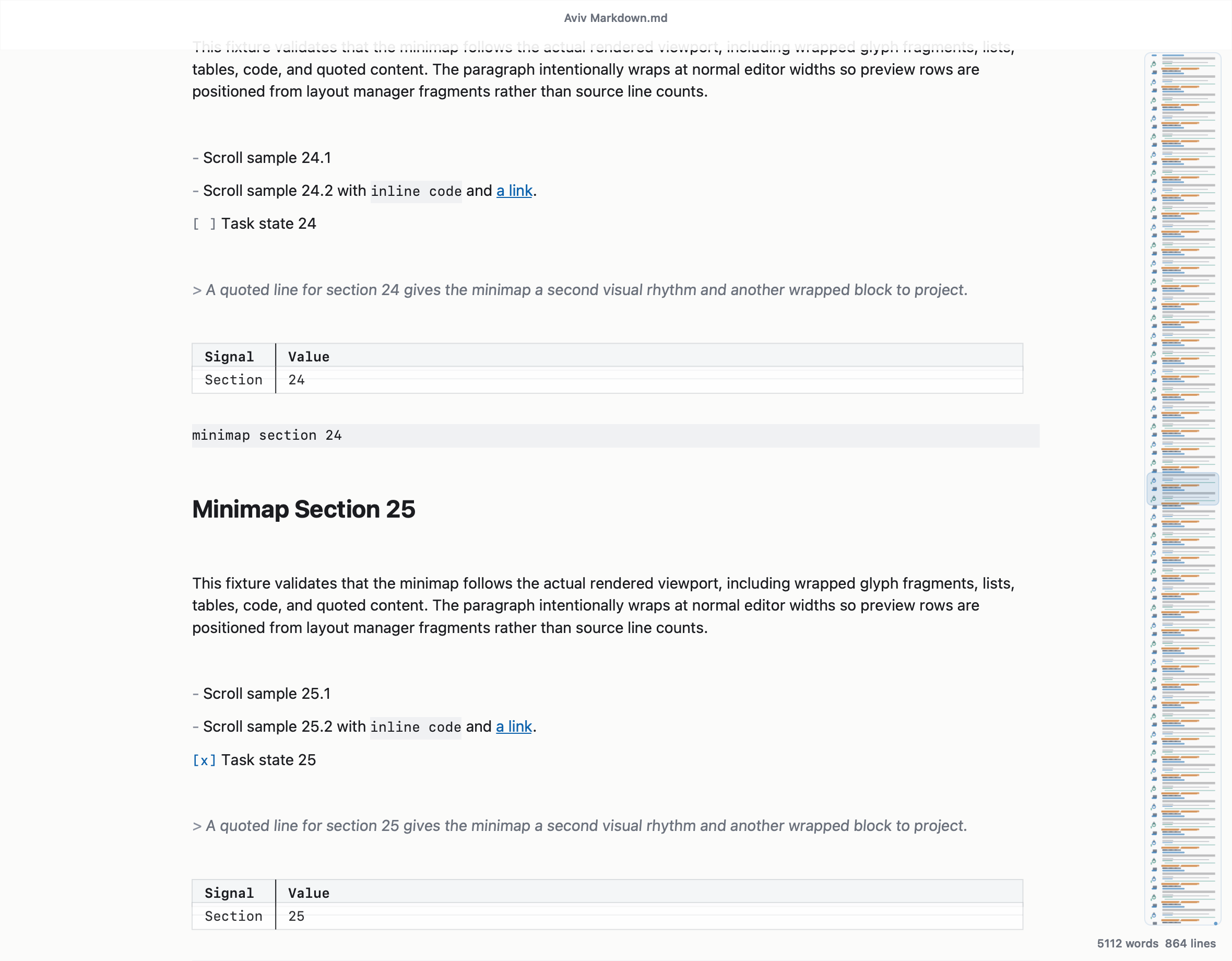
The outline and viewport stay aligned across headings, lists, tables, and trailing newlines.
Print and page setup use the macOS system flow.
No browser shell. Measure resource use on the target operating system and representative documents.
Blog and A4 formats keep writing calm while printing uses paper-aware margins.
Native startup prompts can help make Aviv the app that opens Markdown files.
Aviv is a free native download for macOS and Windows. No lite mode, no license key, no subscription prompt, no hidden unlock, and no heavy browser-shell footprint.